
We receive an email from our employer indicating that pay slips are now digitized on Arkevia, we click on the link, and we land on a login page without really knowing which identifier to use. This situation affects thousands of employees each month, especially during the first activation. Understanding the distinction between the portals and mastering a few technical reflexes can help avoid most blockages.
Employee portal or employer portal: two Arkevia addresses not to confuse
The most common confusion when trying to connect to the Arkevia space comes from choosing the wrong address. The portal myarkevia.com is reserved for employees, while arkevia.com is for HR administration on the company side. Typing one instead of the other leads to an authentication form that does not recognize the identifiers.
Specifically, if you are an employee and want to view your pay slips, you need to go to myarkevia.com. The address arkevia.com is for HR managers who upload documents into their employees’ vaults.
This distinction can also be found in a guide for connecting to Arkevia that details the process for each user profile.
Activating the Arkevia vault: what blocks right from the first connection
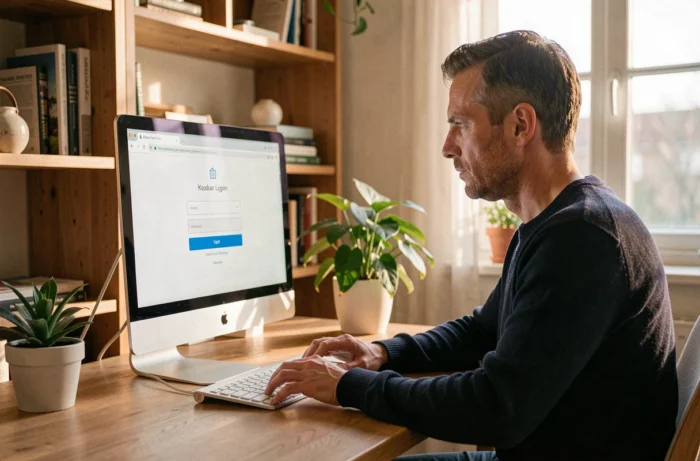
The initial activation is when most problems arise. We receive an invitation email sent by the employer via the Cegedim SRH platform. This email contains a one-time activation link. If we do not click within the timeframe or if the message lands in the spam folder, we find ourselves blocked even before creating our password.
Check your personal email address first
The Arkevia digital vault is linked to the employee’s personal email address, not the professional one. This is a point often overlooked during hiring. If the address provided to the HR department has a typo or is no longer in use, the activation email will never arrive at the right place.
The only solution in this case is to contact the human resources department to correct the address in the system, then request a resend of the invitation. This is not an action that the employee can perform alone from the portal.
Create a password that meets security requirements
Once the activation link is opened, you access a password creation form. The platform imposes complexity criteria (minimum length, special characters, a mix of uppercase and lowercase letters). If the chosen password is rejected, the form indicates this without always specifying which criterion is missing.
A useful reflex: use a password manager to generate and store a compliant password. This way, you avoid having to reset it a few days later.
Forgotten password on MyArkevia: the reset procedure
You activated your account months ago, never returned, and when trying to retrieve a pay slip, you can’t remember the password. This scenario is classic.
On the login page of myarkevia.com, the “Forgot password” link triggers the sending of a temporary one-time link via email. This link has a limited validity period. If you do not use it quickly, it expires and you have to restart the procedure.
- Check the spam or junk folder: Arkevia reset emails often end up there, especially on Gmail and Outlook.
- Do not click multiple times on “Forgot password” in rapid succession: each request generates a new link and invalidates the previous one, which creates confusion.
- If no email arrives after several attempts, the problem likely lies with the address associated with the account, and you need to go back through HR.

Keeping access to Arkevia after changing employers
This is a point that many employees discover too late. The Arkevia digital vault is designed to follow the employee throughout their career, with a document retention announced for several decades. Pay slips deposited by a former employer remain accessible, provided that two prerequisites are met.
The first: you must have actually activated your account during the employment period. If you never clicked on the activation link, the vault technically exists but you do not have access to it. The second: the personal email address linked to the account must remain valid. If you change your email service without updating this information, you lose the ability to connect or reset your password.
Feedback varies on this point, but in practice, recovering lost access from several years ago can be complicated, with technical support sometimes requiring identity verification.
Arkevia two-factor authentication: what changes in 2026
Cegedim is expected to begin the rollout of two-factor authentication for MyArkevia access in 2026. Until now, login relied on an email-password pair. Adding a second verification step (code sent via SMS or through an authentication app) enhances the security of digital vaults.
For employees, this means you need to link a mobile phone number to your account to avoid being blocked during the next login. If the registered number is no longer active, you fall into the same type of blockage as with an obsolete email address.
- Check now in the settings of your MyArkevia space that the phone number is correct.
- Prefer an authentication app over SMS, which can cause problems abroad or when changing operators.
- Keep the backup codes provided during the activation of two-factor authentication in a safe place.
Access management and security governance remain with the client company, not the provider Cegedim. In other words, it is the employer who decides the level of security applied and the timeline for deploying two-factor authentication for their employees. An employee cannot activate this option on their own if the company has not yet implemented it.
Keeping your contact details up to date on MyArkevia, whether it’s the email address or phone number, remains the most reliable way to avoid a login blockage. This is a check that takes two minutes and can save weeks of hassle with support.