
Bimvup remains accessible despite successive DNS blocks, and it is precisely this persistence that drives users to stack layers of circumvention on their home network. The real security problem does not come so much from the site itself but from the makeshift infrastructure used to access it: free VPNs, unverified third-party DNS resolvers, browsers that haven’t seen an update in months. Here, we analyze the concrete attack vectors and the technical trade-offs to consider.
Outdated Browser and Injected Scripts: The Attack Surface Bimvup Exploits First
On a pirate streaming site, the video content is merely a pretext. Monetization relies on third-party advertising scripts, redirects to compromised download pages, and, in some cases, client-side cryptocurrency mining. These scripts exploit known vulnerabilities in the browser’s rendering engine.
An up-to-date browser fixes these vulnerabilities over time with releases. A browser stuck on a version several months old offers an attack surface that is well-documented in public CVE databases. The exploits don’t even need to be sophisticated: it is enough for an iframe to load an exploit kit targeting a WebGL or JavaScript vulnerability that has already been patched upstream.
We recommend checking the browser version before browsing any unlisted site. On Chromium, the command chrome://settings/help displays the version and forces an update if necessary. Firefox offers an equivalent mechanism in its general settings.
It is common to underestimate the risks associated with bimvup by focusing solely on the content being streamed, while the danger lies in the technical layers surrounding the video player.

Free VPN and Unverified DNS Resolver: Two Weak Links on the Same Network
When Arcom obtains the blocking of an address, ISPs apply the measure at their DNS servers. The usual workaround is to switch to a public DNS or activate a VPN. The two options are not equal, and their uncontrolled combination creates additional vulnerabilities.
Free VPNs: Traffic as a Product
A free VPN must finance its infrastructure. Several models exist, but the most common is the resale of aggregated browsing data. Unencrypted HTTP traffic that passes through the tunnel is readable in plain text by the VPN operator. Even with HTTPS, the metadata (visited domains, volumes, timestamps) is enough to create a usable profile.
The risk increases when the VPN provider injects its own root certificates into the operating system’s store. This technique, known as MITM SSL, allows the decryption of HTTPS traffic without the user seeing any alerts in their browser.
Third-Party DNS: Redirected Resolution
Changing the DNS resolver to bypass an ISP block is trivial. The trap appears when the chosen resolver implements neither DNS-over-HTTPS (DoH) nor DNS-over-TLS (DoT). DNS queries then travel in plain text over the local network and can be intercepted or redirected by compromised equipment, including the router itself if its firmware is not up to date.
- Check that the DNS resolver used supports DoH or DoT before manually activating it in network settings.
- Avoid resolvers recommended on forums related to pirate streaming, as their reliability and logging policies are unverifiable.
- Prefer publicly documented resolvers with an audited no-logging policy.
Home Router Hygiene and Propagation to Network Devices
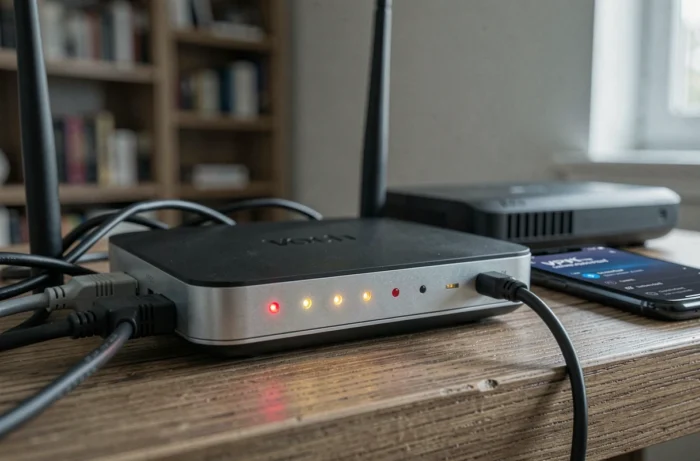
The most overlooked angle in discussions around Bimvup concerns the router. Changing the DNS at the router level (rather than on each device) exposes the entire home network to the same unverified resolver. All connected devices, including IoT objects, consoles, and phones of other household members, inherit this configuration.
A router with firmware older than a year is a known target. Vulnerabilities like DNS rebinding or poorly configured UPnP allow a script running in the browser to pivot to the local network. Recent cybersecurity guides emphasize several concrete points.
- Replace the router’s default admin password with a unique passphrase.
- Disable UPnP if no local network service explicitly depends on it.
- Enable WPA3 encryption when hardware supports it, or at a minimum WPA2-AES.
- Regularly monitor the list of connected devices to spot any unknown clients.
Circumvention vs. Network Security Trade-Off: Decision Grid
The problem is not binary. It is not about choosing between accessing a pirate streaming platform and protecting your network. It is about measuring the real cost of each added layer of circumvention.
| Circumvention Layer | Main Risk | Possible Mitigation |
|---|---|---|
| DNS Change on Router | Propagation to all household devices | DNS DoH/DoT, configuration per device only |
| Free VPN | Traffic interception, certificate injection | Paid VPN with published independent audit |
| Web Proxy Found on Forum | Code injection, session theft | No reliable mitigation |
| Outdated Browser | Exploitation of known vulnerabilities via ad scripts | Automatic updates enabled |
Each line of the table represents a link. The combination of two or more weak links multiplies the attack surface in a non-linear way. An outdated browser behind a free VPN on a router with outdated firmware constitutes a scenario where exploitation becomes almost trivial for a motivated attacker.
The question to ask is not “how to access Bimvup,” but “what is the cost in network security of each manipulation necessary to access it.” In the majority of home configurations we observe, this cost far exceeds the perceived value of the content being accessed.